Prepare manual payouts
Owners can prepare a payout, pay the affiliate through their payment provider, and record the result here.
Set the rules
- Open Payouts.
- Choose NET-15, NET-30, or NET-60 in Payout term. Choose None to prepare payouts manually without a waiting period.
- Enter the Minimum payout in your program’s currency.
- Choose Save payout settings.
NET terms start at month end and use UTC. For example, a January commission with NET-15 becomes due on February 15. With None, approved commissions can be prepared once their creation date has passed. Only approved, unpaid commissions count. Refunds reduce the amount due.
Choose None, save, then prepare an affiliate payout.
Set an affiliate’s minimum
- Open Affiliates and choose View profile for the affiliate.
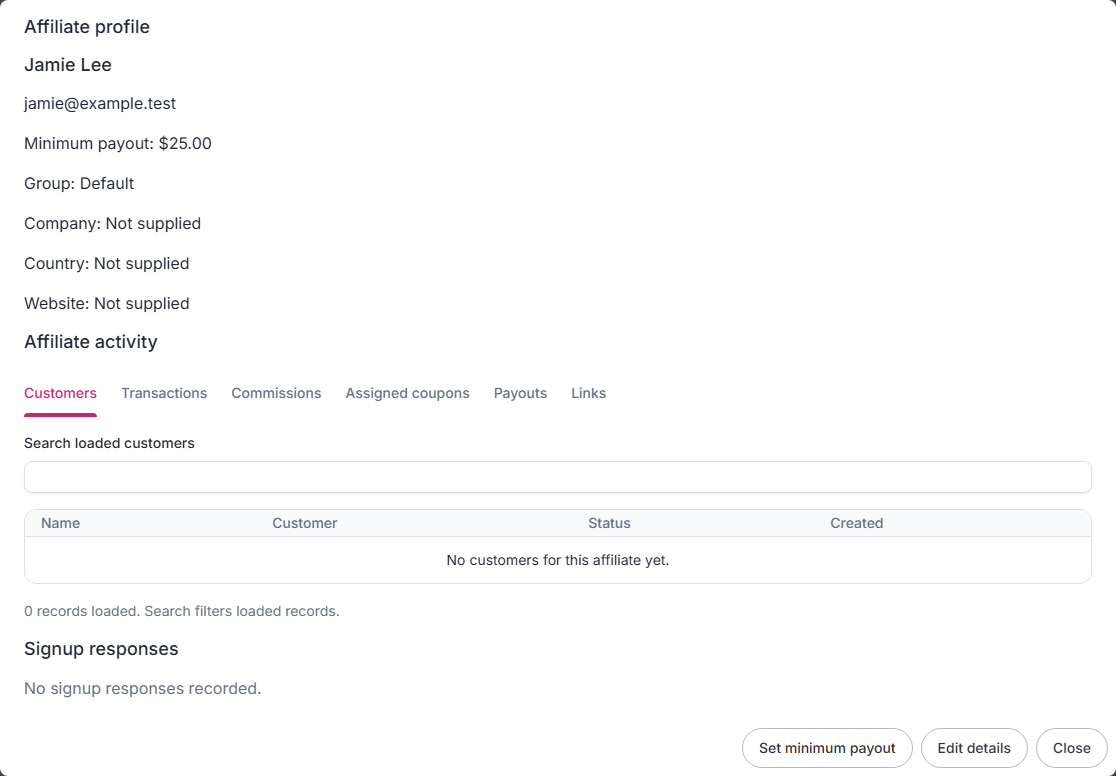
- Choose Set minimum payout.
- Enter an amount and save. Use
0to allow any positive balance, or leave the field blank to use the program minimum.
Only the owner can change this setting. It applies to manual and scheduled preparation. A date-range preview can still skip minimums when you uncheck Meet minimum payout threshold.
Prepare and export
To prepare payouts on your saved schedule, choose a NET term, check Prepare payouts automatically, and choose Save payout settings. The app checks approved balances each hour. Pending payouts appear in Payout history when they reach the term and minimum. Choosing None turns this off.
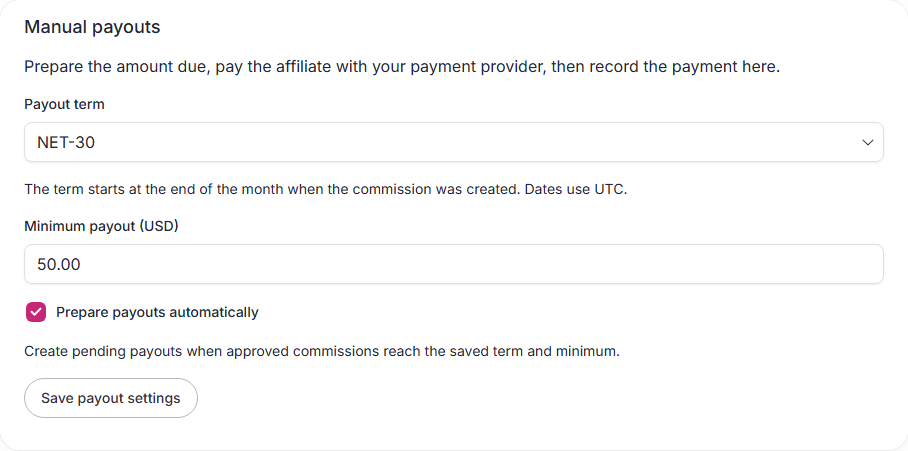
Uncheck that setting to stop automatic preparation. Paused programs are skipped. If you cancel a scheduled payout or remove its commissions, those commissions are skipped by the schedule for the rest of that month. You can still prepare them yourself.
- Find the affiliate under Ready to prepare.
- Check the amount and choose Prepare payout.
- Under Payout history, choose Export payout CSV.
- Check the affiliate and amount against your payment provider before sending money.

Preparation reserves the commissions so a second payout cannot include them. The CSV lists the payout, affiliate, commissions, amount, and currency. It is a review file, not a PayPal or Wise upload template. Use your payment provider’s verified recipient details.
Export by payment method
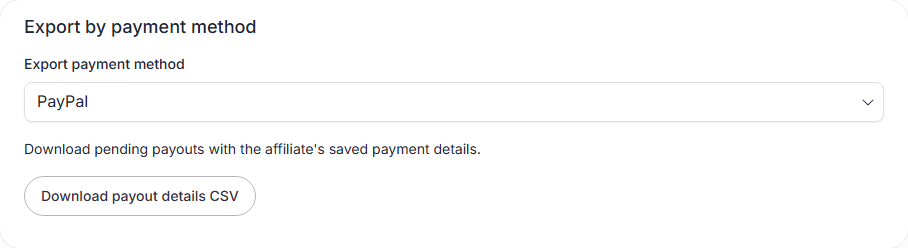
- Under Payout history, find Export by payment method.
- Choose PayPal, Wise, Local bank, Wire transfer, or Crypto.
- Choose Download payout details CSV.
The file includes pending payouts for that method, their amounts, and the affiliate’s saved payment details. It includes all matching payouts, even if they are not on the current page. An affiliate must have saved payment details for that method.
Check the details before paying through your provider. Downloading the file keeps payouts pending. If the download fails, retry it to get a complete file.
Export selected payouts
- Find the payouts under Payout history.
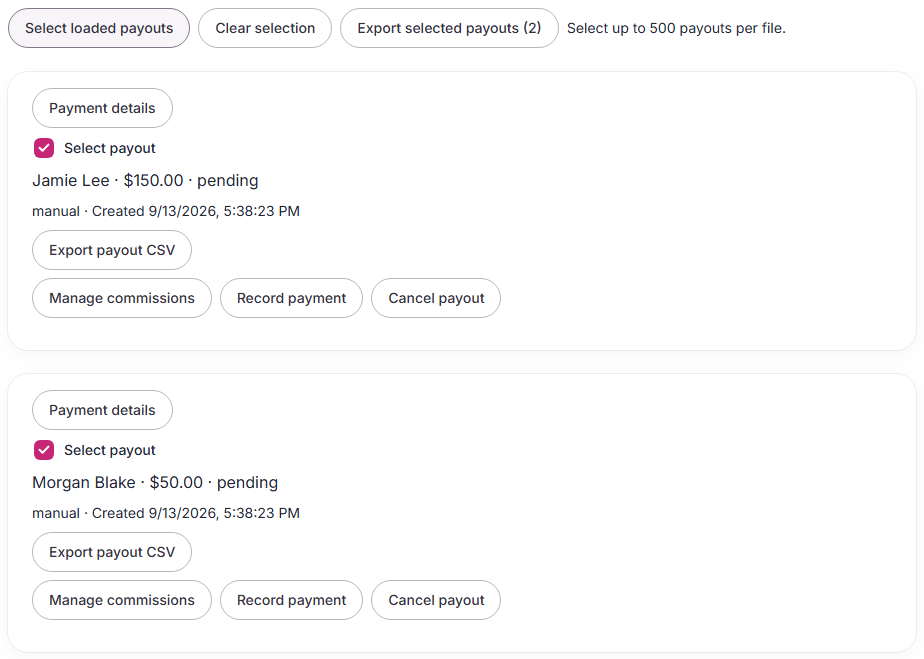
- Check Select payout on each record you want. Use Select loaded payouts to pick every record shown.
- Choose Export selected payouts.
Use Load more records to find older payouts. You can select up to 500 records per file. Clear selection removes your choices. Owners and managers can export both paid and pending history.
This history file uses the same amount units as Export all records (CSV). For USD, 12000 means $120. The currency column tells you which currency each amount uses.
Generate for a date range
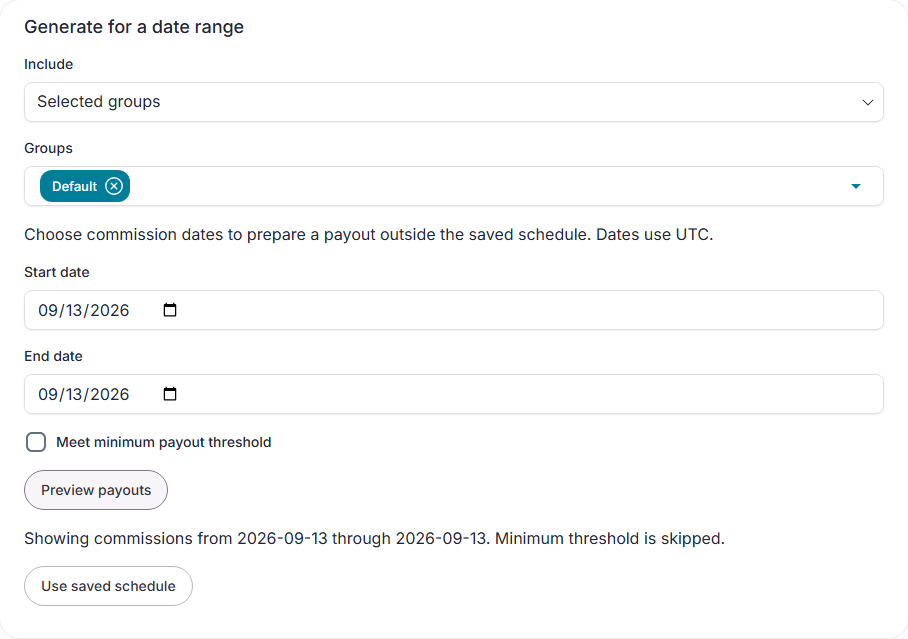
- Under Generate for a date range, choose All affiliates, Selected groups, or Selected affiliates in Include. Select the groups or affiliates if needed.
- Choose a start and end date.
- Keep Meet minimum payout threshold checked, or uncheck it to include smaller balances.
- Choose Preview payouts. Check each affiliate and amount under Ready to prepare.
- Choose Prepare payout for one affiliate, or Prepare all payouts for everyone in the preview.
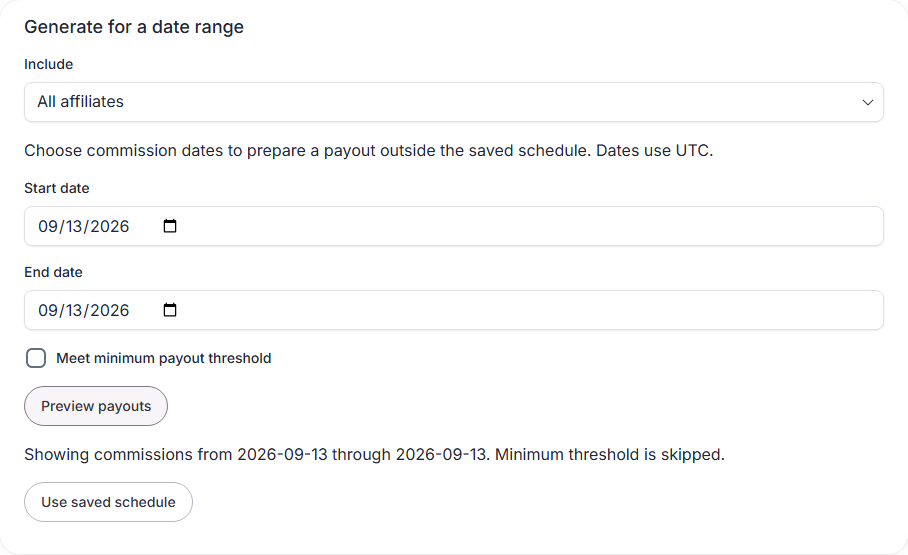
Both dates are included and use UTC. This uses your chosen dates instead of the saved payout term. Only approved, unpaid commissions count. Future commissions and imported balances are excluded. Previewing does not reserve commissions. Preparing a payout does.
Choose Use saved schedule to return to the normal term and minimum. If preparing several payouts stops partway through, the page shows how many were prepared and refreshes the remaining list.
Group selection uses each affiliate’s current group. If the affiliate moves out of the selected groups, preview again before preparing their payout. You can choose up to 100 groups or affiliates at once.
The selector loads 100 choices at a time. Choose Load more choices to see the next page. Typing filters the choices you have loaded.
Remove commissions before payment
- Find the pending payout and choose Manage commissions.
- Select one or more commissions. The remaining total appears below the list.
- Choose Remove selected.

Removed commissions stay unpaid and can be included in a later payout. Removing every commission cancels the empty payout. Paid payouts cannot be edited. Only make these changes before sending payment.
If someone else changes the payout or a refund changes a commission, refresh and review it before continuing. Download a new CSV after changing the payout.
Change commission amounts
- Open the pending payout and choose Manage commissions.
- Select the commissions to change.
- Choose an Action. Use Set amount for one commission. For several, add or subtract a fixed amount, or increase or decrease by a percentage.
- Enter the amount or percentage. The change applies to each selected commission.
- Check Updated payout, then choose Save amounts.
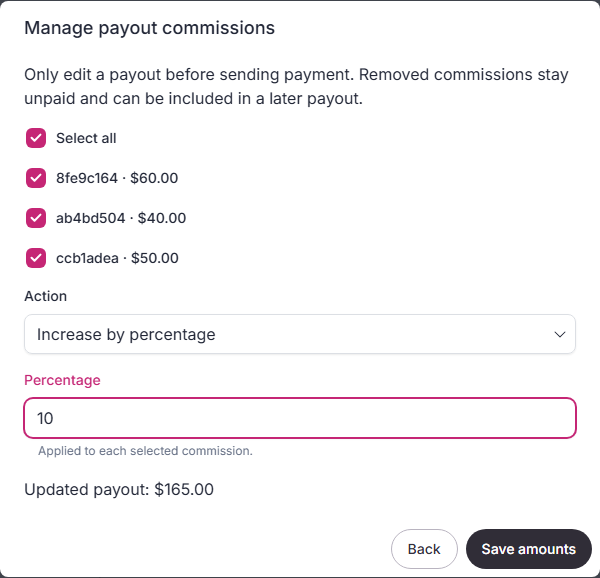
The commission records and payout total update together. Download a new CSV after saving. Percentage changes round to the nearest currency unit, such as a cent for USD. Amounts cannot go below zero.
You cannot edit a paid payout or a commission linked to a refunded payment. Remove that commission from the pending payout and review its payment first.
Record the result
After your provider confirms payment, choose Record payment. Enter its payment reference and confirm. The commissions become paid, and the affiliate can see the payout in their portal.
If no payment was sent, you can choose Cancel payout and enter a reason. This releases the commissions for a new payout. Do not cancel a payout that you already sent.
If a refund changes an amount before payment, the export stops. Review the refund, cancel the unpaid payout, and prepare it again. If you already sent the original amount, record that payment with its reference. The app keeps the amount you sent and flags the refund balance for review. A refund on an already paid commission blocks new payouts for that affiliate until its balance is reconciled.
Read older records
Use Load more records to read older payouts. Export all records (CSV) downloads the full history. Managers can read history; only owners can change payout settings or record payments.
Current limits
A payout can contain up to 200 due commissions for one affiliate. Readiness needs a separate review above 2,000 unpaid commissions; existing payout history and actions stay available. Imported commission balances cannot enter new payouts yet.
Automatic transfers, funding invoices, recipient onboarding, tax forms, and automatic refund debt recovery are not available.
Affiliates can save payment details in the portal. Owners can read them from the payout screen.